🤖
Smart AI assistant
Send a sketch photo or describe your cabinet in words — AI builds an automatic cutting layout. Software that understands what you need.
Design custom cabinets, get automatic cutting layouts, and export DXF files for CNC machines — all from your browser. First 3 projects free, including all files.
Smart carpentry software that saves you hours on every project
Send a sketch photo or describe your cabinet in words — AI builds an automatic cutting layout. Software that understands what you need.
CNC-ready DXF files in seconds — holes, marks, edge bands. No manual work, ready for the machine.
Accurate estimates — materials, fasteners, hinges, edge banding, labor. Customer quotes in one click.
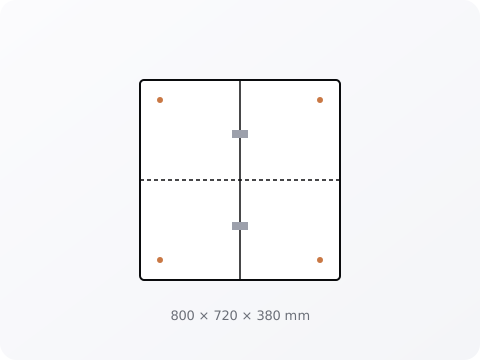
Auto-positioning for Cabineo connectors — fast assembly without glue. Exact hole placement every time.
Full Hebrew RTL plus 44 languages — English, Arabic, Russian and more. Built for carpenters everywhere.
Zero install — open from any browser and start working. Desktop, tablet, or mobile.
CabiAI helps anyone who designs and builds cabinets
Professional kitchen design, precise cutting layouts, DXF export.
Wardrobes, bookshelves, dressers — optimal nesting, material savings.
Multi-project management, material tracking, professional documentation.
No experience needed — build with templates and smart guidance.
Start free, upgrade when you need to. No duplicates, no surprises.
From photo to cut list in three simple steps
Take a photo of a cabinet, sketch, or just describe your dream cabinet in words. Our AI cabinet design software understands it all.
CabiAI's artificial intelligence creates the perfect layout — optimized for material usage, with precise dimensions and hardware placement.
Download DXF files for your CNC machine, a detailed cut list, cost estimate, and interactive 3D preview — all in seconds.
See how CabiAI compares to traditional cabinet design tools
| Feature | Traditional Software | CabiAI |
|---|---|---|
| Setup Time | Hours of training | Zero — start instantly |
| Design Time | 2-4 hours per kitchen | Under 60 seconds |
| Cost | $95-$325/month | Free to start |
| Installation | Heavy download required | Browser-based, any device |
| AI Features | None | Photo recognition + auto-design |
| CNC Export | Extra module ($$$) | Built-in DXF export |
Named programs, prices and sources: Cabinet Vision alternatives compared · what cabinet cut list software must output
From a kitchen photo or sketch to an optimized cut list and DXF
No. CabiAI runs in the browser on a computer, tablet or phone. There is no download, no licence file and no manual updates — open the site and start working.
DXF files for cutting and drilling, and NC files ready for the machine — including hole positions for Cabineo connectors, concealed hinges and drawer slides.
Yes. The interface is available in 44 languages, including English, Arabic, Russian and Spanish. Hebrew is fully right-to-left.
You can start free with no credit card — the free tier includes 5 production tokens, design, cutting layout and the 3D viewer. Paid monthly packages add more production tokens and advanced features.
Yes. A SketchUp extension sends your model to the same engine that powers the website, so the cut list, hole positions and export files are identical in both places.
Open a free account, no credit card required. First 3 projects free, including all files.
Create free account